Odoo
OneDrive Automatic Backup – Odoo module
Automatic Odoo backups to your own OneDrive.
€49.00 VAT free
ViewOdoo
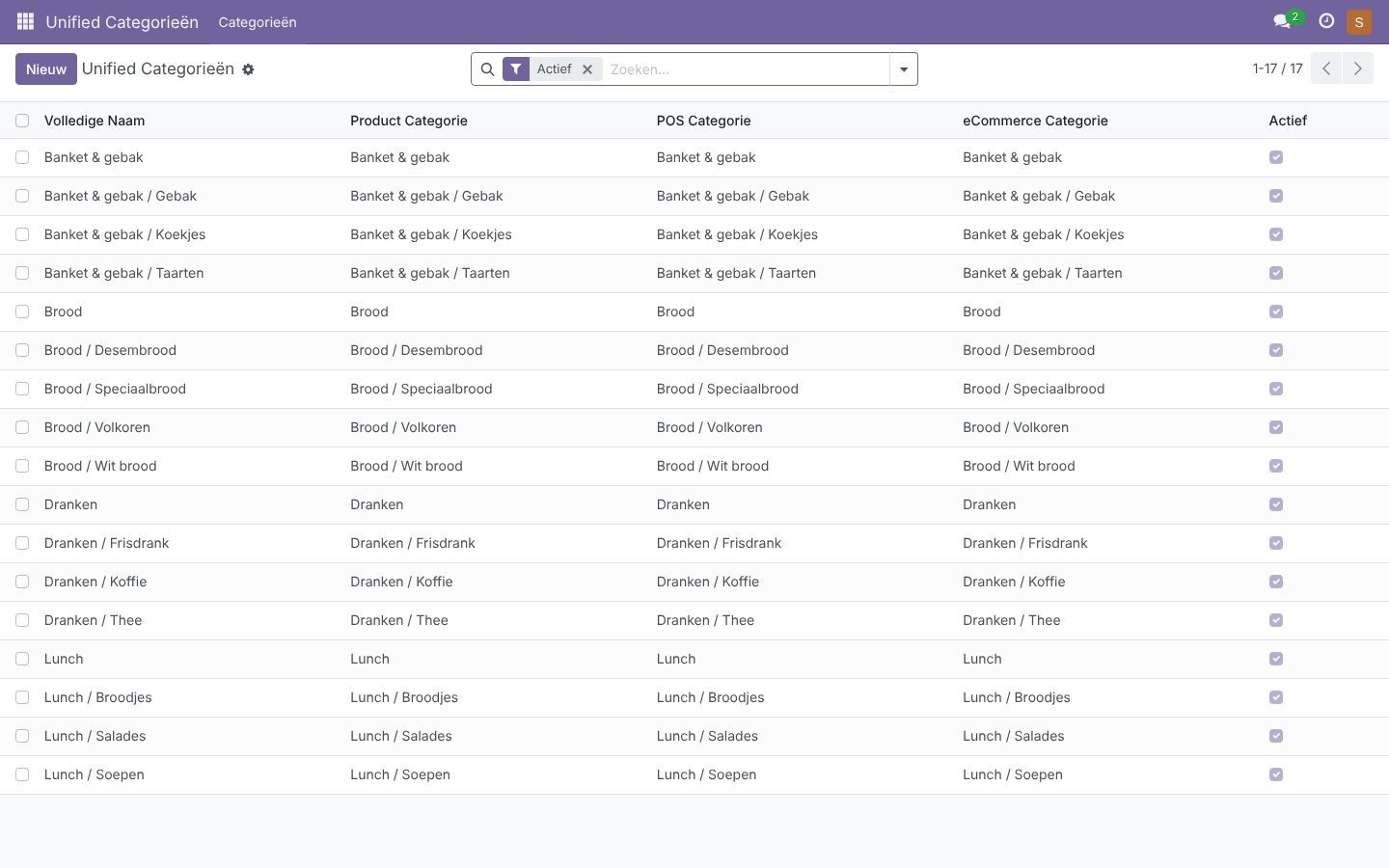
Manage product, POS and eCommerce categories in one central place.
Odoo has three separate category structures: for products, for the register (POS) and for the web shop (eCommerce). Maintaining all three means doing the same work three times and sooner or later ending up with differences. The Unified Category Manager solves that.
You create a category once in the central overview. The module automatically creates the matching product category, POS category and eCommerce category and keeps them in sync. Child categories are created automatically too.
Linked categories are protected against separate edits or deletion, so the structure stays consistent. Only practical fields such as sequence or images remain editable by hand.
| Platform | Odoo |
|---|---|
| Version | 17.0.1.0.0 |
| Requirements | Odoo 17.0 · Apps: Point of Sale, eCommerce and Sales |
| File size | 9 KB (zip) |
| Delivery | Digital: download immediately after payment in your account and by email |
| Support | info@daveswebsites.nl |
The module needs Odoo 17.0 with the Point of Sale, eCommerce (Website Sale) and Sales apps.
Existing categories remain. New categories you create through the manager are linked and protected against separate changes.
Linked categories are edited in the manager. For a limited number of practical fields, such as sequence and images, editing elsewhere remains possible.
As soon as your payment succeeds you can download the zip file on the confirmation page and in your account under Downloads. You also receive an email with the download link. If you pay by bank transfer, the downloads are released as soon as we have received your payment.
Yes. After payment your invoice is available in your account under Invoices. You can print it or save it as a PDF.
Send an email to info@daveswebsites.nl describing the problem and your order number. You will get a personal reply.
Odoo
Automatic Odoo backups to your own OneDrive.
Odoo
Design your receipt visually, with logo and barcode, without XML.
Odoo
Print product labels with barcodes straight from the Odoo POS.
Need an adjustment or a completely custom module or plugin? We build it for you.