Odoo
OneDrive Automatic Backup – Odoo module
Automatic Odoo backups to your own OneDrive.
€49.00 VAT free
ViewOdoo
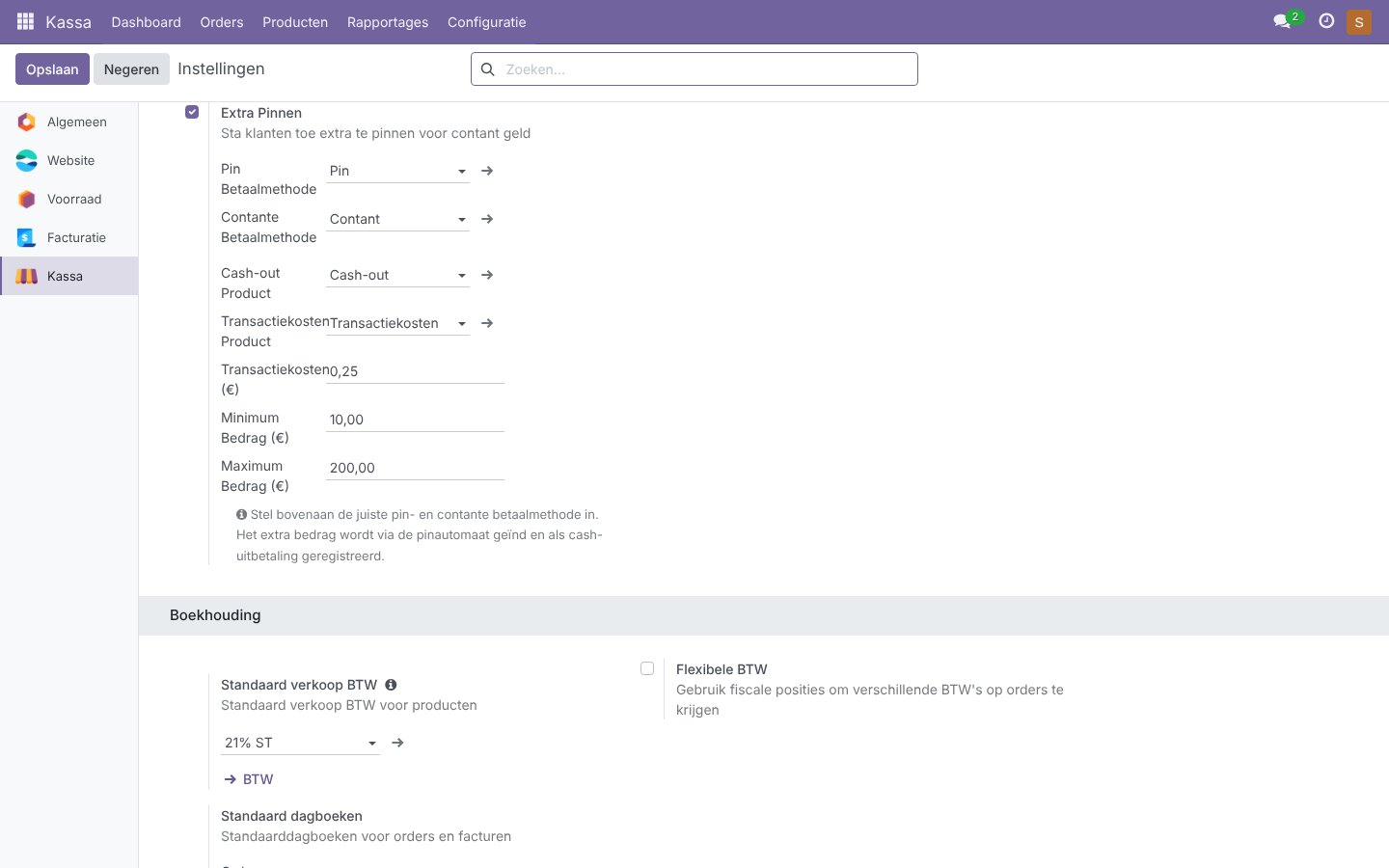
Customers pin an extra amount for cash, right in the Odoo POS.
Many customers also want to withdraw cash when they check out. With POS Extra Pin you handle that in the Odoo POS in a few taps. The cashier chooses Extra Pin, the customer names the amount and the POS automatically creates the right payment lines: a cash payout to the customer and one card payment for the total.
You decide the transaction fee, the minimum and maximum amount and which payment methods are used. The fee appears as a separate line on the receipt.
| Platform | Odoo |
|---|---|
| Version | 17.0.1.0.0 |
| Requirements | Odoo 17.0 · point_of_sale module · a card and a cash payment method |
| File size | 12 KB (zip) |
| Delivery | Digital: download immediately after payment in your account and by email |
| Support | info@daveswebsites.nl |
The POS adds the transaction fee as an order line, removes earlier payment lines and creates two payment lines: cash (negative, the amount you pay out) and card (the order total plus the extra amount).
The module fills in the payment lines and leaves the card payment to your own card payment method. The order of the lines is chosen so that a terminal sees the positive card amount.
That of the product you choose as the transaction fee product. Ask your accountant which tax rate to use.
No, the minimum and maximum apply per transaction.
Odoo 17.0.
As soon as your payment succeeds you can download the zip file on the confirmation page and in your account under Downloads. You also receive an email with the download link. If you pay by bank transfer, the downloads are released as soon as we have received your payment.
Yes. After payment your invoice is available in your account under Invoices. You can print it or save it as a PDF.
Send an email to info@daveswebsites.nl describing the problem and your order number. You will get a personal reply.
Odoo
Automatic Odoo backups to your own OneDrive.
Odoo
Design your receipt visually, with logo and barcode, without XML.
Odoo
Print product labels with barcodes straight from the Odoo POS.
Need an adjustment or a completely custom module or plugin? We build it for you.