WordPress
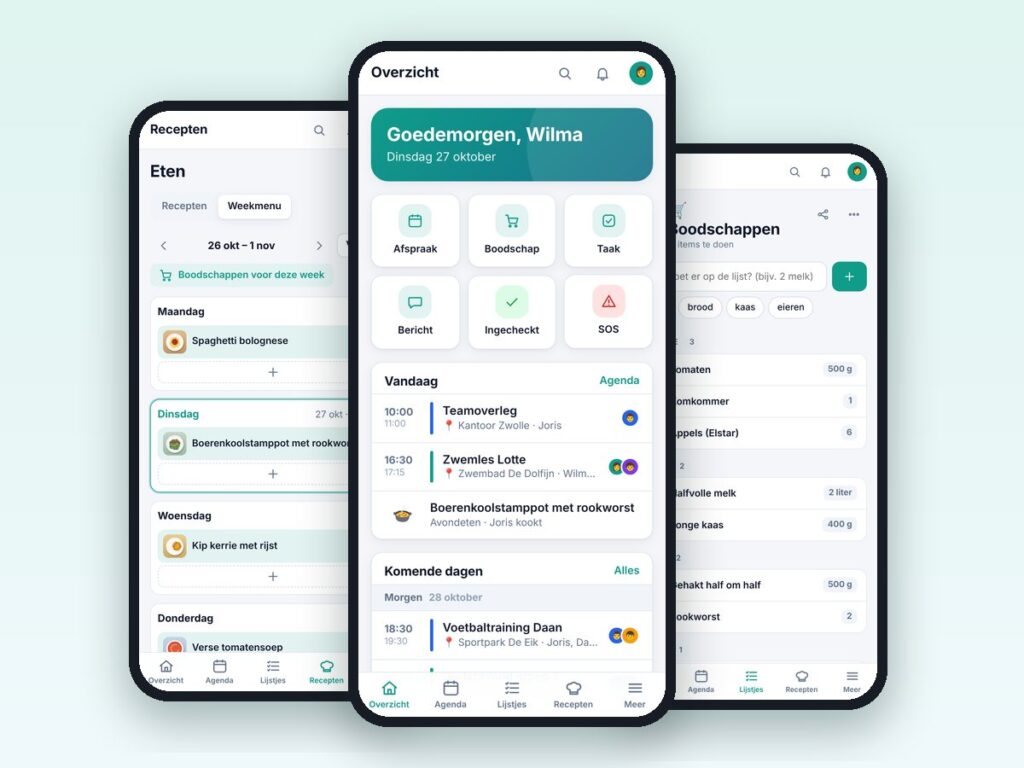
Familie Hub – family app for WordPress
One app for the whole family: calendar, lists, chores, recipes and more.
€69.00 VAT free
ViewWordPress
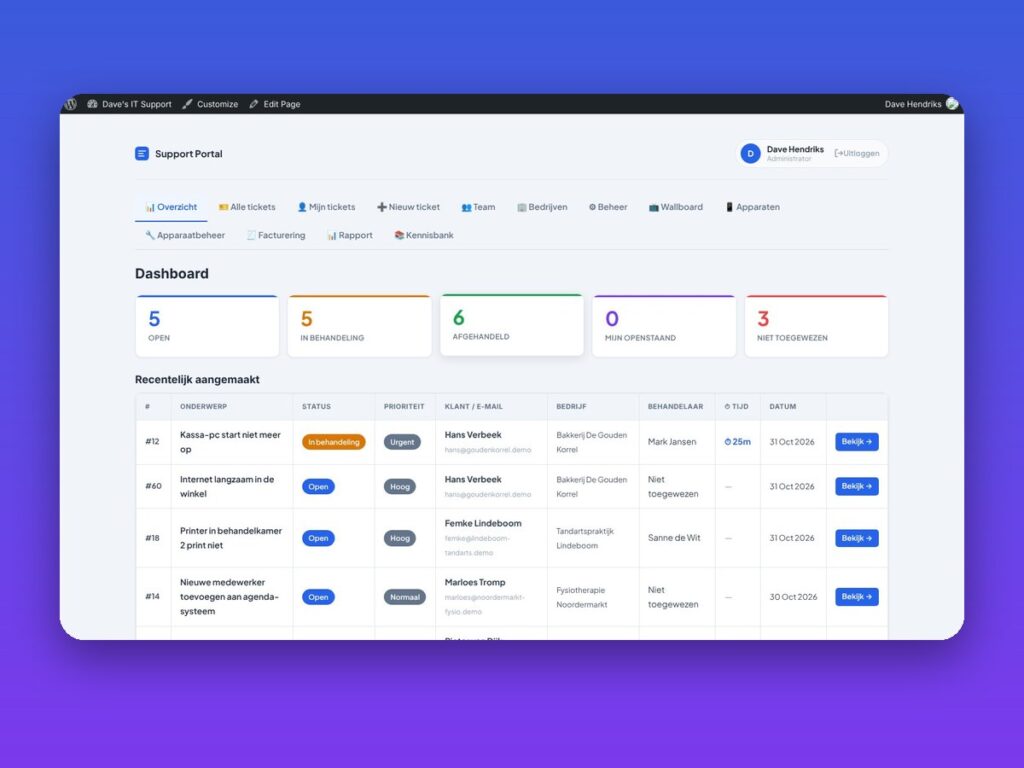
Tickets with SLA, remote website management, invoicing and bookkeeping in one web app.
ServiceDesk Pro is a professional ticket system that runs as a mobile web app (PWA) on your own WordPress site. It is made for service providers with client companies and locations, but also works as an internal system for a single organisation.
You manage tickets with SLA (working hours, pausing, warnings), time tracking, a knowledge base with a rich text editor, canned replies, automation rules and a wallboard. You also keep track of devices and websites with QR labels, maintenance schedule, uptime and SSL monitoring and SEO reports.
With the connector plugin on the client site you manage websites remotely: WordPress, plugins and themes, backups and restore, and security through Security Pro. The system also includes invoicing with PDF and its own bookkeeping with bank import.
| Platform | WordPress |
|---|---|
| Version | 1.11.0 |
| Requirements | WordPress 5.8+ · PHP 7.4+ · WP-cron or a real server cron |
| File size | 389 KB (zip) |
| Delivery | Digital: download immediately after payment in your account and by email |
| Support | info@daveswebsites.nl |
No. ServiceDesk Pro runs on your own WordPress site and your data stays with you.
Yes. Choose Internal (one organisation with locations) or Service provider (client companies with locations) during setup.
Yes, via Admin → Import. This does not happen automatically.
With the connector plugin on the client site. Updating, installing, removing and backups are off there by default and you switch them on per site on purpose.
No. It is a tool for keeping records and preparing. Have your VAT return and annual accounts checked by your accountant.
The connection is read-only and was tested with a simulated Rabobank, not live. Test in the sandbox first.
As soon as your payment succeeds you can download the zip file on the confirmation page and in your account under Downloads. You also receive an email with the download link. If you pay by bank transfer, the downloads are released as soon as we have received your payment.
Yes. After payment your invoice is available in your account under Invoices. You can print it or save it as a PDF.
Send an email to info@daveswebsites.nl describing the problem and your order number. You will get a personal reply.
WordPress
One app for the whole family: calendar, lists, chores, recipes and more.
WordPress
Helpdesk, customer portal, SLA, invoicing and knowledge base in one plugin.
WordPress
Hide your login URL, two-factor authentication, country blocking and more in one plugin.
Need an adjustment or a completely custom module or plugin? We build it for you.