WordPress
Familie Hub – family app for WordPress
One app for the whole family: calendar, lists, chores, recipes and more.
€69.00 VAT free
ViewWordPress
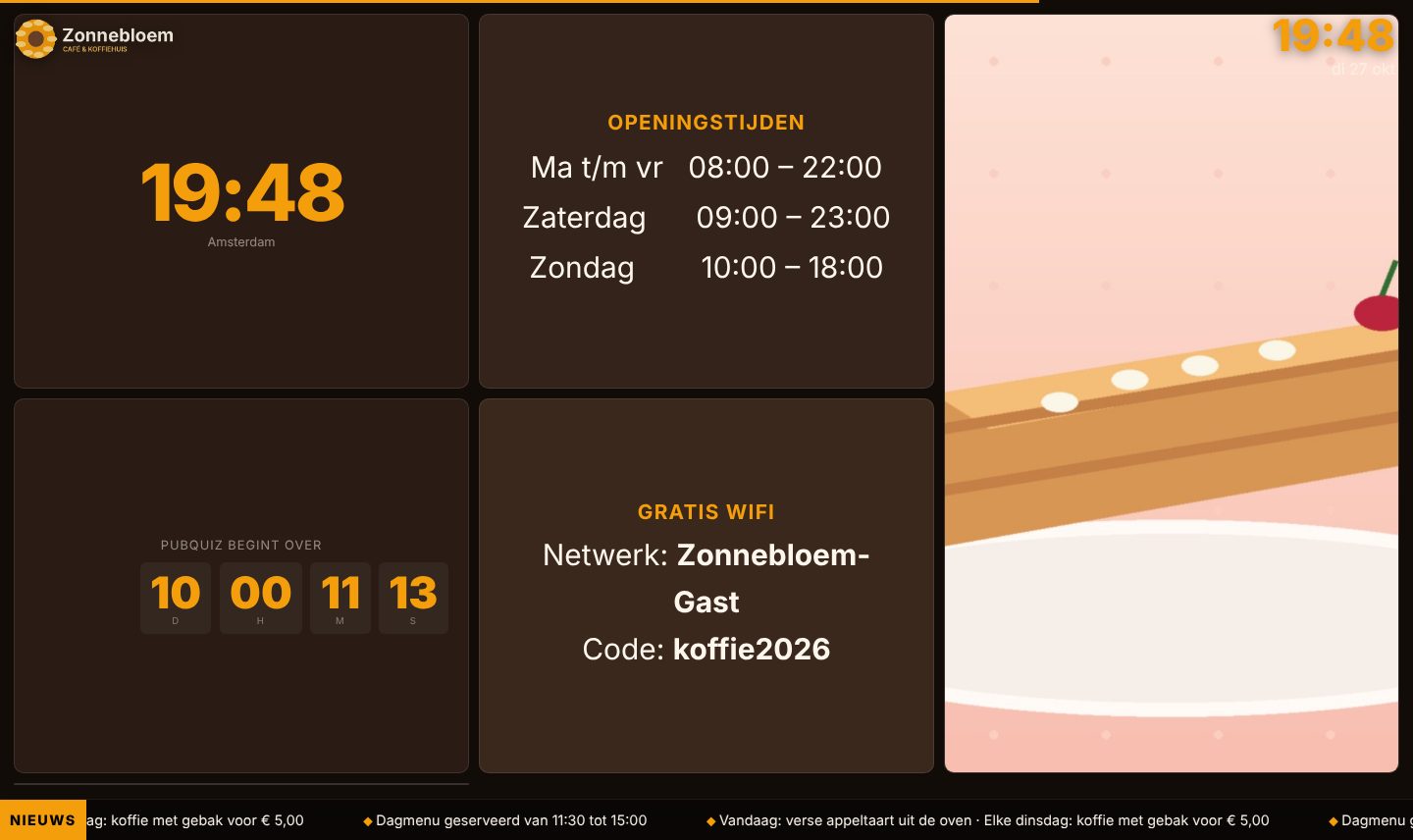
Show slides, news, video and weather on any screen, managed from WordPress.
With WP Narrowcasting any screen with a browser becomes an information display: in the waiting room, the shop, the canteen or at reception. Slide management lives in WordPress itself; the screen simply shows a page with the shortcode [narrowcasting] and cycles through your slides automatically.
You choose from 11 slide types, from welcome screen and image to video, PDF, news, weather, countdown and clock. Across the slides there are fixed elements such as logo, clock, weather bar and a scrolling news ticker. You set transitions, colours and font yourself.
If you want to hand over management to a client or colleague, use the separate client panel on its own page with the shortcode [narrowcasting_admin]: they manage the slides without access to the rest of your WordPress dashboard.
| Platform | WordPress |
|---|---|
| Version | 1.6.0 |
| Requirements | WordPress 5.8+ · PHP 7.4+ |
| File size | 80 KB (zip) |
| Delivery | Digital: download immediately after payment in your account and by email |
| Support | info@daveswebsites.nl |
No. Any screen with a modern browser will do; open the page with the shortcode in full screen.
Create a free OpenWeatherMap account and paste your API key into the plugin settings.
Yes, with the client panel. They log in on their own page and see only slide management, not your WordPress dashboard.
As soon as your payment succeeds you can download the zip file on the confirmation page and in your account under Downloads. You also receive an email with the download link. If you pay by bank transfer, the downloads are released as soon as we have received your payment.
Yes. After payment your invoice is available in your account under Invoices. You can print it or save it as a PDF.
Send an email to info@daveswebsites.nl describing the problem and your order number. You will get a personal reply.
WordPress
One app for the whole family: calendar, lists, chores, recipes and more.
WordPress
Helpdesk, customer portal, SLA, invoicing and knowledge base in one plugin.
WordPress
Staff schedule, leave, shift swaps and planning as a mobile app.
Need an adjustment or a completely custom module or plugin? We build it for you.